
Tabla de Contenido
- Understanding Heatmap Analytics for UX Optimization
- Why Website Heatmaps Matter for User Experience Improvement
- Types of Heatmaps and What They Show
- How to Use Heatmaps for UX
- Step-by-Step Heatmap Implementation Guide
- Best Heatmap Tools for Websites
- Improving User Experience with Heatmaps: Practical Examples
- FAQs About Heatmaps and UX Optimization
Understanding Heatmap Analytics for UX Optimization
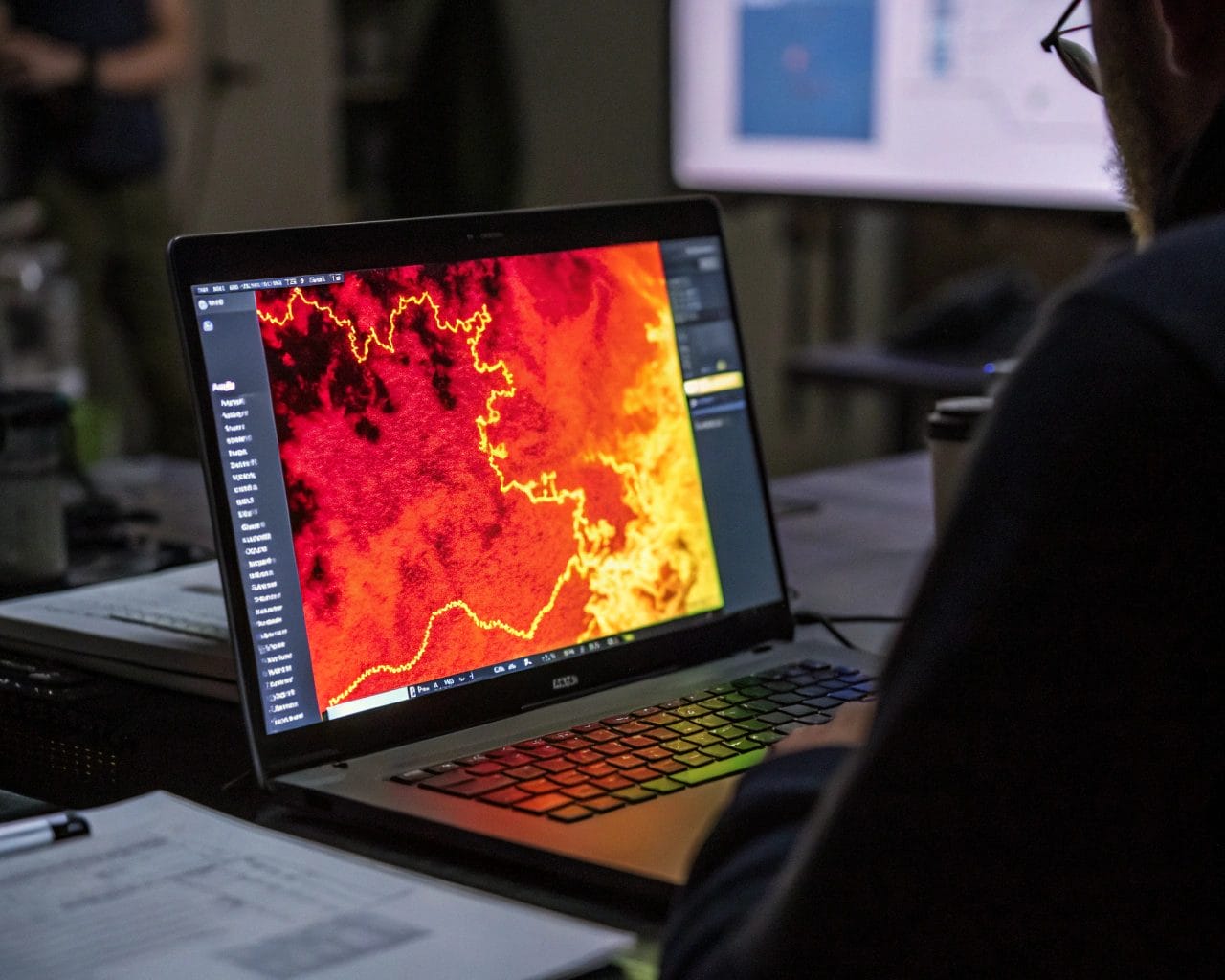
If you’re looking to optimize website performance, understanding how users interact with your site is the starting point. That’s where heatmap analytics become valuable. Heatmaps turn abstract data into visual insights, helping you spot usability issues, test variations, and enhance your site’s overall functionality.
Unlike numbers in spreadsheets, website heatmaps offer a clear, visual representation of where users click, how far they scroll, and where they spend most of their attention. This makes them perfect tools for UX optimization efforts.
Why Website Heatmaps Matter for User Experience Improvement
Effective user experience improvement starts with identifying pain points, but traditional analytics tools often fall short in pinpointing the “why” behind user behaviors. Heatmap tools bridge this gap by giving you the context behind quantitative data.
You can see if your call-to-action buttons are getting ignored, understand if your visitors are scrolling past important information, or find out whether your site navigation is intuitive.
UX is not about guesswork. It’s about observation, analysis, and iteration. Heatmaps contribute to all these stages by aligning your design decisions with actual user behavior.
Types of Heatmaps and What They Show
To make informed decisions, it helps to understand the kinds of website heatmaps available and how each contributes to behavior tracking:
- Click Heatmaps: Show where users are clicking. Useful for assessing CTAs, menu items, images, and other interactive elements.
- Scroll Heatmaps: Indicate how far down the page users scroll. Great for evaluating content layout and fold positioning.
- Move Heatmaps: Track where the cursor moves. Provides insights into eye movement and attention focus.
- Tap Heatmaps (for mobile): Detect where users tap, identifying mobile usability strengths and weaknesses.
Each type can uncover hidden friction points, contributing directly to conversion rate optimization.
How to Use Heatmaps for UX
If you want to know how to use heatmaps for UX, the process starts with framing the right questions. Ask yourself:
- Where are users focusing their attention?
- Are important elements getting clicks?
- Are users engaging with secondary content?
With these questions in mind, you can apply heatmaps to:
- Test Navigation Efficiency
Ensure menus, dropdowns, and breadcrumbs are being used as expected. - Improve CTAs
Analyze if your buttons are located in high-interaction zones. - Refine Content Structure
Adjust headlines, images, and videos based on scroll data. - Streamline Layouts
Remove or relocate underperforming elements.
Use heatmaps to guide A/B tests for layout changes, color adjustments, or wordings.
Step-by-Step Heatmap Implementation Guide
Launching your first heatmap can be seamless if you follow these steps:
- Set Clear Objectives
Decide what pages and user actions are most important to your business goals. - Choose the Right Heatmap Tool
SimplifyAnalytics is an excellent option, offering real-time data and privacy-first tracking. - Install the Tracking Script
Add the heatmap snippet to your website header. SimplifyAnalytics offers a lightweight (<6 kB), cookie-free script that complies with GDPR, CCPA, and PECR. - Define Goals and Events
Whether it’s a click on a signup button or engagement on a pricing table, specify interaction targets. - Start Recording Sessions
Allow the tool to gather enough visitor data. A minimum sample size helps ensure patterns are meaningful. - Review and Analyze
Use the visual reports to identify what’s working and what isn’t. Combine heatmaps with session replays for deeper user interaction analysis. - Take Action
Implement changes and measure new data. Repeat the cycle for continuous website usability testing.
Best Heatmap Tools for Websites
Here are some best heatmap tools for websites, each offering different strengths depending on your needs:
- SimplifyAnalytics
Performance-focused, privacy-first, and easy to integrate. It supports teams, GDPR compliance, and doesn’t require cookie consent with its lightweight mode. - Hotjar
Known for session replays and real-time survey tools, although it includes browser-based alerts for privacy management. - Crazy Egg
Offers A/B testing built in with its heatmap data. - Mouseflow
Focused on visitor behavior, with strong funnel analysis features.
SimplifyAnalytics stands out if you’re prioritizing privacy laws, fast script performance, and seamless integration without tracking consent banners.
Improving User Experience with Heatmaps: Practical Examples
Businesses are using heatmaps to directly enhance user journeys. Here are some real-world examples:
- E-commerce: An online retailer noticed users abandoning product pages before hitting the “Add to Cart” button. A scroll heatmap revealed users weren’t scrolling down far enough. They moved the button higher, resulting in a 28% increase in conversions.
- SaaS Providers: A software platform used heatmaps to assess how new users interacted with onboarding steps. Click heatmaps showed users skipped key instructions. Simplifying onboarding flow improved retention by 15%.
- Agencies: Agencies managing multiple client sites mention how team management in SimplifyAnalytics makes collaboration precise. Each team member can focus on different sections or tests while ensuring client data is secure.
These examples underline how behavior tracking through heatmaps leads to measurable ROI and UX gains.
FAQs About Heatmaps and UX Optimization
What’s the difference between website analytics and heatmaps?
Website analytics give numerical insights like bounce rate and traffic, while heatmaps offer visual cues about user interaction analysis, making it easier to diagnose UX issues.
Do I need technical skills to use heatmaps?
No. Most tools, including SimplifyAnalytics, are designed for marketers, designers, and business owners. Implementation involves adding one script to your website.
Are heatmaps GDPR compliant?
That depends on the tool. SimplifyAnalytics ensures cookies aren’t used in lightweight mode, and no personal data is tracked—making it compliant with privacy laws like GDPR, CCPA, and PECR.
How long should I run a heatmap study?
It depends on traffic. A good rule is to collect data from at least 1,000 visitors per page for meaningful insights.
Where should I place heatmaps?
Start with high-traffic and high-value pages: homepage, landing pages, product pages, and checkout flows.
Ready to Start Improving Your Website?
If you’re serious about user experience improvement, start by integrating heatmaps into your analytics workflow. SimplifyAnalytics makes it easy, fast, and privacy-friendly. Whether you’re an agency handling multiple clients or a solo entrepreneur, elevate your strategy today.
Try SimplifyAnalytics for free and explore how heatmap analytics can help you optimize website performance like never before.
References
- 6 Best Website Heatmap Tools in 2025 [Comparison Guide] – FullSession
- 14 Best Heatmap Tools In 2025 – Convert Experiences
- 9 Best Heatmap and Session Recording Tools for WordPress – WPBeginner
- 11 Best Heatmap Software Tools (2025 Pros And Cons) – Blogging Wizard
- Heatmap analytics 101: What you need to know – Siteimprove


