
Tabla de Contenido
- Introduction to Customer Retention Analysis
- Why Customer Retention Matters More Than Acquisition
- How to Analyze Customer Retention with SimplifyAnalytics
- Tracking Retention Metrics That Matter
- Use Session Replays and Heatmaps for Customer Behavior Insights
- Customer Journey Analysis for Better Engagement
- Strategies to Improve Retention with SimplifyAnalytics
- Best Tools for Customer Retention Analysis within SimplifyAnalytics
- FAQs about SimplifyAnalytics and Retention
Introduction to Customer Retention Analysis
Customer retention analysis has become essential for understanding how users interact with your website over time and why they keep coming back—or stop returning. Retaining existing customers is cost-effective and directly impacts revenue, especially for subscription-based and e-commerce businesses. If you’re tracking customer analytics without a clear focus on user retention tracking, you’re missing vital data that can shape your growth.
With SimplifyAnalytics, you can dive deep into customer behavior insights and unlock data patterns that help improve retention. Whether you’re analyzing usage frequency, session length, or repeat visits, SimplifyAnalytics helps translate this activity into actionable strategies.
Why Customer Retention Matters More Than Acquisition
It costs up to five times more to attract new customers than to retain existing ones, according to multiple research sources including the Harvard Business Review. But cost-effectiveness isn’t the only reason why retention matters:
- Loyal customers are 60% more likely to purchase again
- They tend to spend 20-40% more per transaction
- Retained customers are more likely to refer others
This is why data-driven retention strategies are critical, and why platforms like SimplifyAnalytics are quickly becoming leaders in customer analytics.
How to Analyze Customer Retention with SimplifyAnalytics
Using SimplifyAnalytics for retention metrics starts by focusing on three types of data: event tracking, repeat visits, and goal completion trends. Here’s a step-by-step outline:
- Enable Lightweight Mode: This allows you to track behavior without infringing on users’ privacy, thanks to cookie-free and GDPR-compliant setups.
- Set Custom Goals: Whether it’s product purchases, newsletter signups or time-on-site, tracking goal completions over time helps map retention trends.
- Monitor Real-Time Activities: Check how many return users are engaging with new website updates, content, or product offerings.
- Identify Drop-off Points through session replays and heatmaps.
The ability to run churn analysis with this level of clarity helps answer key questions: Are users falling off after a specific action? Do users return after email campaigns or onboarding?
Tracking Retention Metrics That Matter
SimplifyAnalytics makes it easy to follow essential retention performance indicators without bloating your dashboard. Focus on:
- Daily, weekly, and monthly active users (DAU, WAU, MAU)
- Visit recency and frequency
- Conversion time from first visit to goal completion
- Retention cohorts – group users by acquisition date and monitor their activity across time
For instance, if you launched a new feature last month, you can see how users acquired during that period differ in engagement from previous cohorts.
Use Session Replays and Heatmaps for Customer Behavior Insights
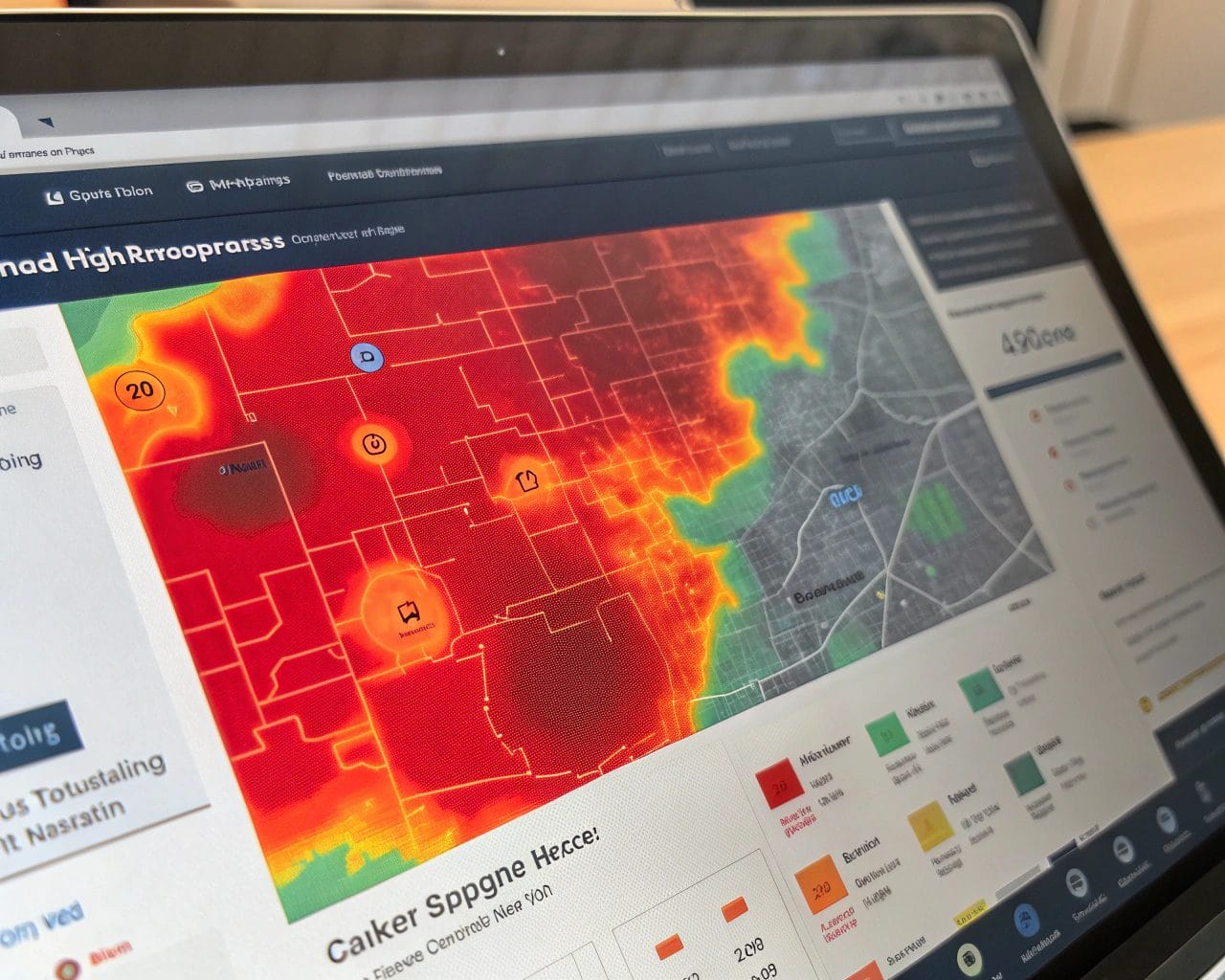
One of the biggest assets of SimplifyAnalytics is its session replay and heatmap features. These tools let you observe exactly how users navigate your site, where they click, scroll, or get stuck.
If you notice returning users dropping off at a certain page or skipping key steps in a funnel, you can quickly troubleshoot. This granular level of detail sharpens your SimplifyAnalytics customer behavior analysis, making your refinement efforts more precise and effective.
Use heatmaps to analyze:
- Call-to-action performance
- Engagement with new design elements
- Scroll depth on long content pages
- Navigation menu effectiveness
Then layer those insights with session replays for a full spectrum customer journey analysis.
Customer Journey Analysis for Better Engagement
Understanding the progression from first visit to loyal user helps uncover patterns you can replicate or adjust. SimplifyAnalytics tracks journey milestones through goal tracking, event labels, and session playback.
Ask questions like:
- What’s the typical path a retained customer follows?
- At which step are non-retained users diverging?
- Which content pieces or product pages are contributing to return visits?
By asking the right questions within SimplifyAnalytics dashboards, you gain smarter targeting options for future content updates, product improvements, and support flows.
Strategies to Improve Retention with SimplifyAnalytics
Using the information gathered from your customer behavior insights, begin shaping retention strategies directly informed by user activity:
- Create micro-conversions: Don’t wait for the final sale. Track small milestones like “Visited About Page,” “Watched Demo Video,” “Downloaded eBook.”
- Refine onboarding: Use retention dashboards to see where new users stop engaging. Revisit your onboarding strategy accordingly.
- Segment loyal users: Build profiles around high-engagement users and identify what sets them apart.
- Enhance support channels: See where users spend time or seek help, and preemptively solve those issues via tooltips, chatbots, or help content.
Every insight adds up. These data-driven retention strategies are far more effective than guesses or industry averages.
Best Tools for Customer Retention Analysis within SimplifyAnalytics
SimplifyAnalytics groups the best tools for customer retention analysis in one interface:
- Visitor and user tracking: Pinpoint individual actions, not just sessions.
- Heatmaps: Visualize spatial behavior on pages.
- Session replays: Watch real navigational flows.
- Goal tracking: Customize metrics that matter most.
- Real-time analysis: React quickly when user behavior changes.
Unlike other analytics tools that may require plugins or advanced setup, SimplifyAnalytics keeps everything in one privacy-first platform. No need to worry about consent banners or compliance gaps.
If you ever wondered how to analyze customer retention with SimplifyAnalytics without drowning in excessive data, their lightweight script and dashboard structure make every insight manageable.
FAQs about SimplifyAnalytics and Retention
What makes SimplifyAnalytics different for retention analysis?
Its privacy-first model allows full behavior tracking without cookies, while still offering deep insights via heatmaps, session replays, and retention-focused goal tracking.
How do I measure churn with SimplifyAnalytics?
Use cohort data and drop-off points across sessions. Comparing activity peaks and valleys helps flag churn within specific user segments.
Do I need technical skills to use these tools?
No. The visual dashboard and clear data labeling make it accessible for marketing managers, product teams, and support analysts alike.
Is there a retention dashboard built-in?
Yes, SimplifyAnalytics offers retention-focused overviews that you can adjust per campaign, date range, or user group.
Can I use the free plan for retention tracking?
The free plan does include basic tracking, but for multi-site, team access, and deeper session analytics, the Starter or Advanced plan is better.
Ready to convert your analytics into retention power?
Try SimplifyAnalytics today and start tracking what matters most to your business. Turn anonymous sessions into loyal users through smarter decisions backed by precise insights.
Start for free at SimplifyAnalytics and explore why it’s one of the best tools for customer retention analysis available today.
References
- Crazy Egg – Customer Acquisition and Retention: Differences and Similarities
- Simon-Kucher – Six Steps of Customer Journey Mapping Through Data Integration
- HubSpot – Customer Acquisition vs. Retention: Where Should You Focus?
- Express Analytics – Customer Acquisition vs Customer Retention
- Medallia – The Modern Approach to Customer Journey Analysis


